What Is URL? A Simple Guide to Understanding URLs
Imagine you want to visit a website. You open your browser and type something like:
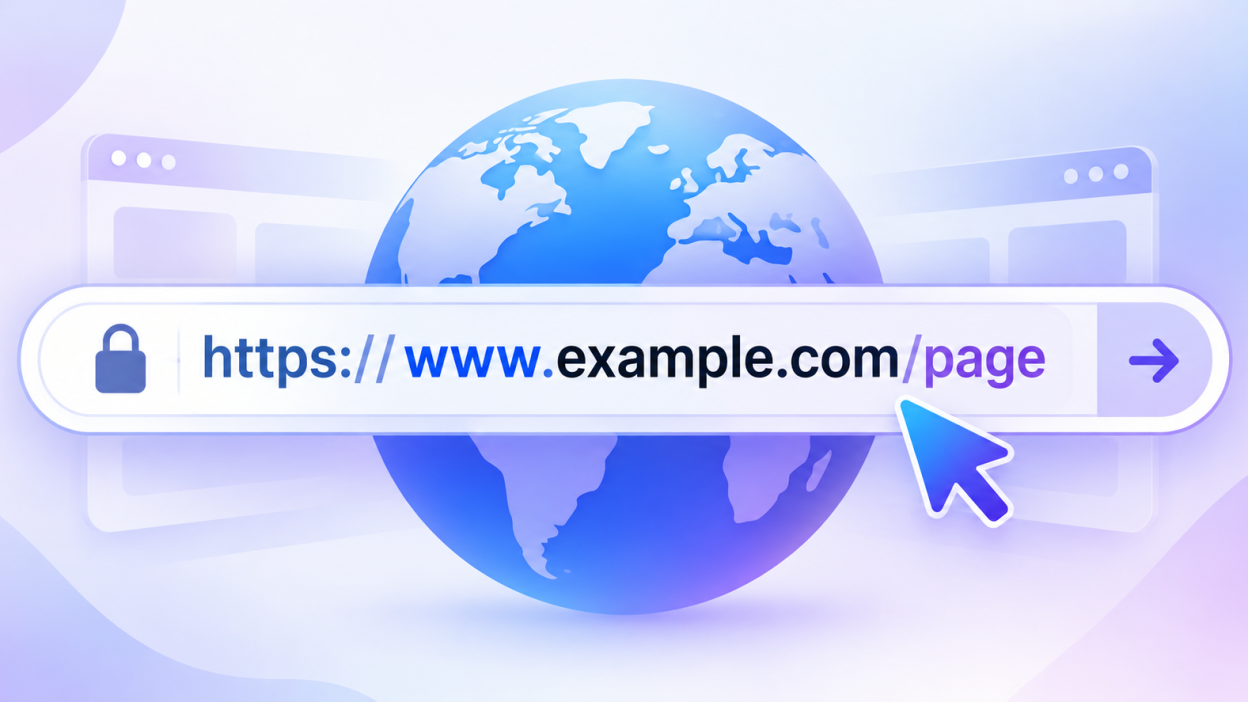
https://www.example.com/blog/what-is-urlBut what exactly is that strange-looking line of text?
That is a URL.
URL stands for Uniform Resource Locator. In simple words, a URL is the address of something on the internet. Just like your home has a physical address that helps people find it, a URL tells your web browser where to find a webpage, image, video, file, or another online resource.
In this guide, we’ll break down URLs into simple pieces and understand how they work.
What Is the URL Fullform?
URL = Uniform Resource Locator
Let’s understand each word:
- Uniform – URLs follow a standardized format.
- Resource – A resource can be a webpage, image, file, video, API, or other online content.
- Locator – It tells your browser where that resource is located.
For example:
https://www.example.com/productsThis URL tells your browser:
Use HTTPS to connect to example.com and open the products page.Think of a URL like a GPS address for the internet. Instead of giving directions to a physical building, it gives your browser directions to an online resource.
A Real-Life Example
A URL works in a similar way:
https://www.example.com/menuIt tells the browser:
Website → Example.com → Menu pageThat’s why URLs are so important. Without some form of address or locator, your browser wouldn’t know which resource you want to access.
What Does a URL Look Like?
A URL can be very simple:
https://example.comOr it can contain several different parts:
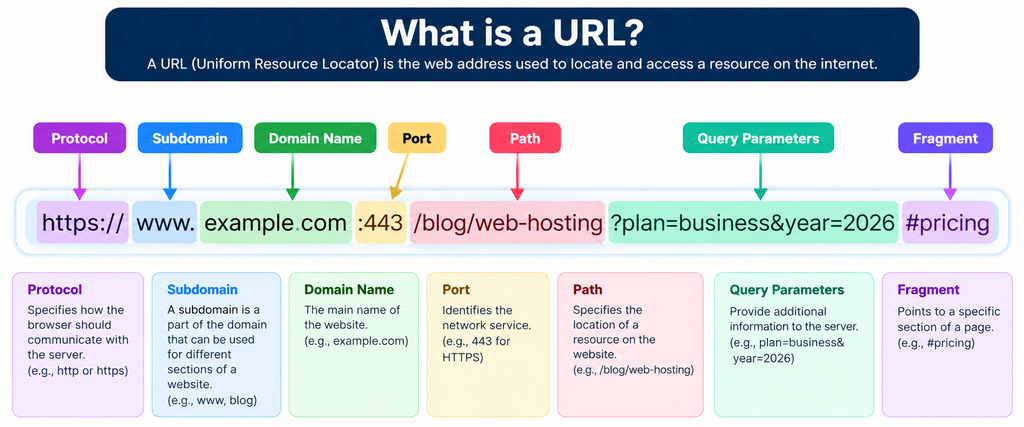
https://www.example.com/blog/hosting?plan=vps#pricingAt first, this may look complicated. Don’t worry! We can break it into small pieces.
The basic structure is:
https://www.example.com/blog/hosting?plan=vps#pricingIt contains:
- Scheme / Protocol –
https:// - Subdomain –
www - Domain name –
example.com - Path –
/blog/hosting - Query string –
?plan=vps - Fragment –
#pricing
Each part has a different job.
1. Protocols
The first part of a URL is usually the protocol, also called the scheme.
For example:
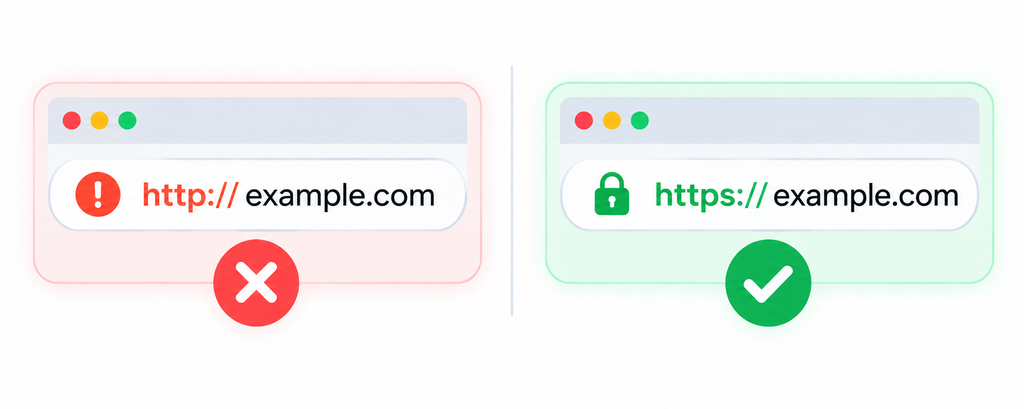
https://HTTPS stands for Hypertext Transfer Protocol Secure.
It tells your browser how it should communicate with the web server.
You may also see:
http://The difference is that HTTPS provides encrypted communication between your browser and the website, while ordinary HTTP does not provide the same transport encryption.
Today, HTTPS is widely used across websites.
You may also encounter other schemes, such as:
ftp://
mailto:
tel:
These are used for different types of resources or actions.
2. Subdomain
Consider this URL:
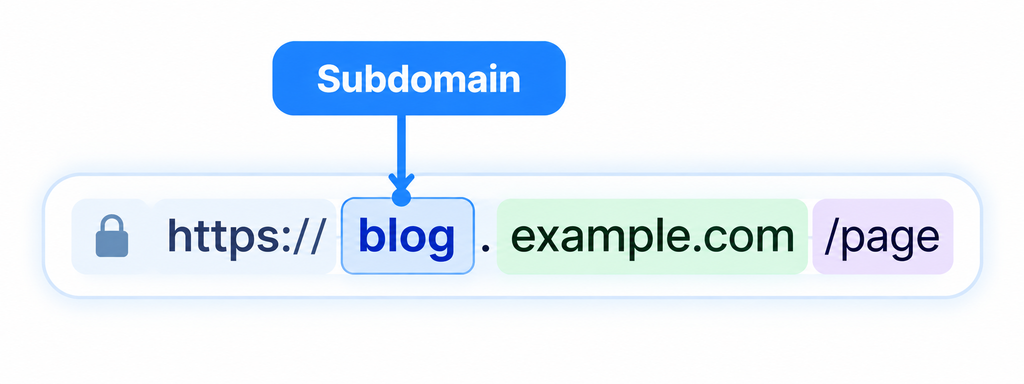
https://www.example.comHere:
wwwis a subdomain.
www traditionally means World Wide Web, although it isn’t required for a website.
For example, these can both point to websites:
https://example.com
https://www.example.com
A website owner can also create other subdomains:
blog.example.com
shop.example.com
support.example.com
A company might use:
blog.example.comfor its blog and:
shop.example.comfor its online store.
3. Domain Name
The domain is one of the most recognizable parts of a URL.
In:
https://www.example.comthe domain name is:
example.comA domain generally consists of a name and a top-level domain (TLD).
For example:
example.comHere:
example= domain name.com= top-level domain
Other popular TLDs include:
.org
.net
.in
.co
.dev
.store
Different organizations and websites can choose different domain extensions depending on their needs and availability.
4. Path
Now look at this URL:
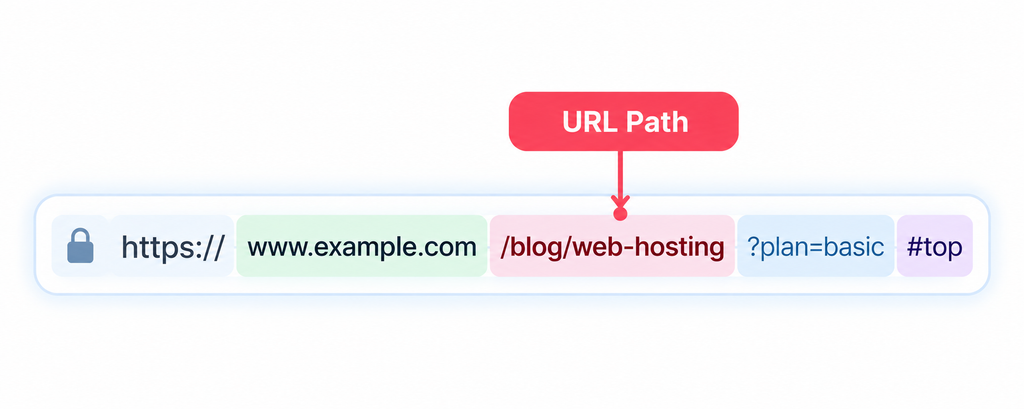
https://example.com/blog/hostingThe part:
/blog/hostingis called the path.
The path tells the server which resource or location you’re requesting.
For example:
https://example.com/might open the homepage.
While:
https://example.com/blogmight open the blog.
And:
https://example.com/blog/what-is-urlmight open a specific article.
Think of the path like a folder structure that helps identify a particular resource.
5. Query String
Sometimes you’ll see a question mark in a URL:
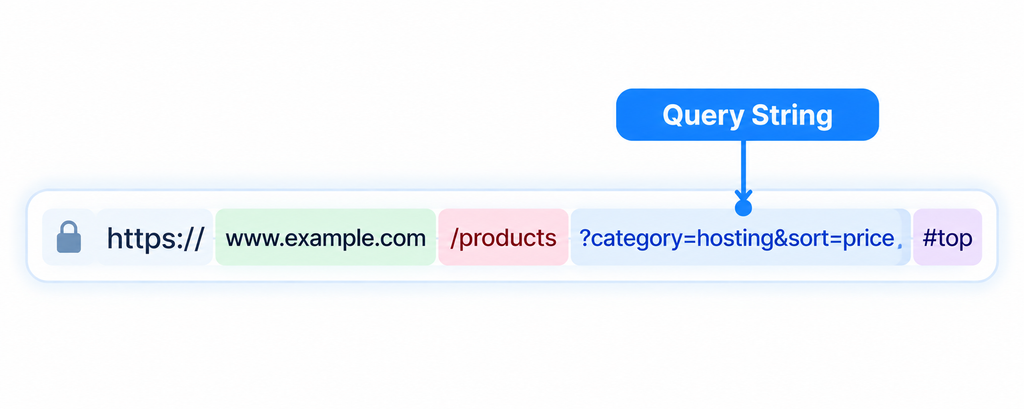
https://example.com/pricing?plan=vpsEverything after ? is generally called the query string.
Here:
plan=vpsis a query parameter.
The website can use this information to determine what content or action should be displayed.
There can also be multiple parameters:
https://example.com/search?query=hosting&page=2Here there are two parameters:
query=hosting
page=2
Query strings are commonly used for searches, filters, tracking, pagination, and other dynamic website functions.
6. Fragment
You may also see a # in a URL:
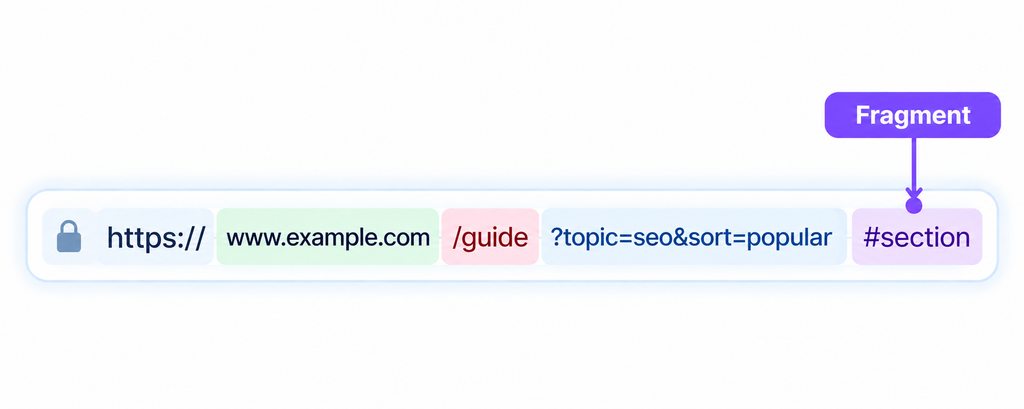
https://example.com/pricing#vpsThe part after # is called a fragment.
It can identify a particular section of a webpage.
For example:
https://example.com/article#conclusioncould take you directly to the “Conclusion” section of the page.
Fragments are generally handled by the browser rather than being sent to the server as part of the HTTP request.
How Does a URL Work?
When you enter:
https://example.cominto your browser, several things happen behind the scenes.
Step 1: You enter the URL
You type or click the URL.
Step 2: The browser reads it
The browser identifies things such as the protocol and domain.
Step 3: DNS finds the server
The domain name needs to be translated into an IP address.
For example:
example.com → IP addressThis process is handled by DNS (Domain Name System).
You can think of DNS as the internet’s phonebook.
Step 4: The browser connects to the server
The browser connects to the appropriate server using the requested protocol.
Step 5: The server responds
The web server processes the request and sends back the requested content.
Step 6: Your browser displays the page
Your browser receives resources such as HTML, CSS, JavaScript, images, and other files and builds the webpage you see.
All of this can happen in just a few seconds—or even faster.
URL vs URI: Are They the Same?
You may sometimes hear the term URI.
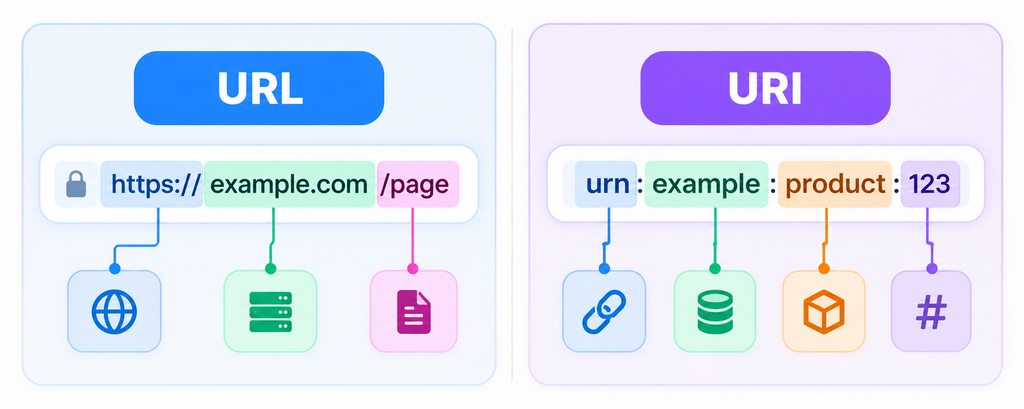
URI means Uniform Resource Identifier.
A URL is a type of URI that identifies a resource by describing where it can be accessed.
In everyday web development and browsing, however, URL is the term you’ll encounter most often.
Why Are URLs Important?
URLs are the foundation of navigation on the web.
They allow people and applications to:
- Visit websites
- Open specific webpages
- Download files
- Share articles
- Access images and videos
- Open online services
- Access APIs
- Link between different websites
For example, when someone sends you:
https://example.com/tutorialyou don’t need to explain where the tutorial is. The URL acts as the complete digital address.
What Makes a Good URL?
A good URL should ideally be:
Short
Compare:
example.com/url-guidewith a huge URL containing unnecessary characters.
Shorter URLs are generally easier to read and share.
Descriptive
This is easier to understand:
example.com/blog/what-is-urlthan:
example.com/page?id=92837Easy to Read
Use meaningful words instead of unnecessary complexity.
Consistent
A website should follow a predictable URL structure throughout its pages.
Can a URL Be Changed?
Yes.
A website owner can change the URL of a webpage.
For example:
example.com/old-pagecould become:
example.com/new-pageHowever, changing URLs without properly handling redirects can cause broken links and other SEO or usability problems.
That’s why website owners should carefully plan URL changes.
URL, Domain, and Website: What’s the Difference?
These three terms are often confused.
Domain:
example.comURL:
https://example.com/blog/articleWebsite:
The collection of webpages and resources available through the domain.
So, a domain is like the name/address, while a URL can point to a specific location or resource within the website.
The Easy Way to Remember a URL
Think of a URL like a complete delivery address.
https://www.example.com/blog/hostingYou can think of it as:
HTTPS → How to travel
www → A section/building
example.com → The main address
/blog/hosting → The specific room/location
This isn’t a technically exact analogy, but it’s a great way to remember the basic idea.
Final Thoughts
A URL (Uniform Resource Locator) is simply an address used to locate and access resources on the internet.
Although URLs can look complicated at first, they’re actually made from understandable building blocks:
https://www.example.com/blog/article?topic=url#introOnce you know what the protocol, subdomain, domain, path, query string, and fragment mean, URLs become much easier to understand.
The next time you click a link or type a website address, take a second to look at it. You’re not just seeing a random string of characters—you’re looking at a structured address that tells your browser where to go and what resource to request.